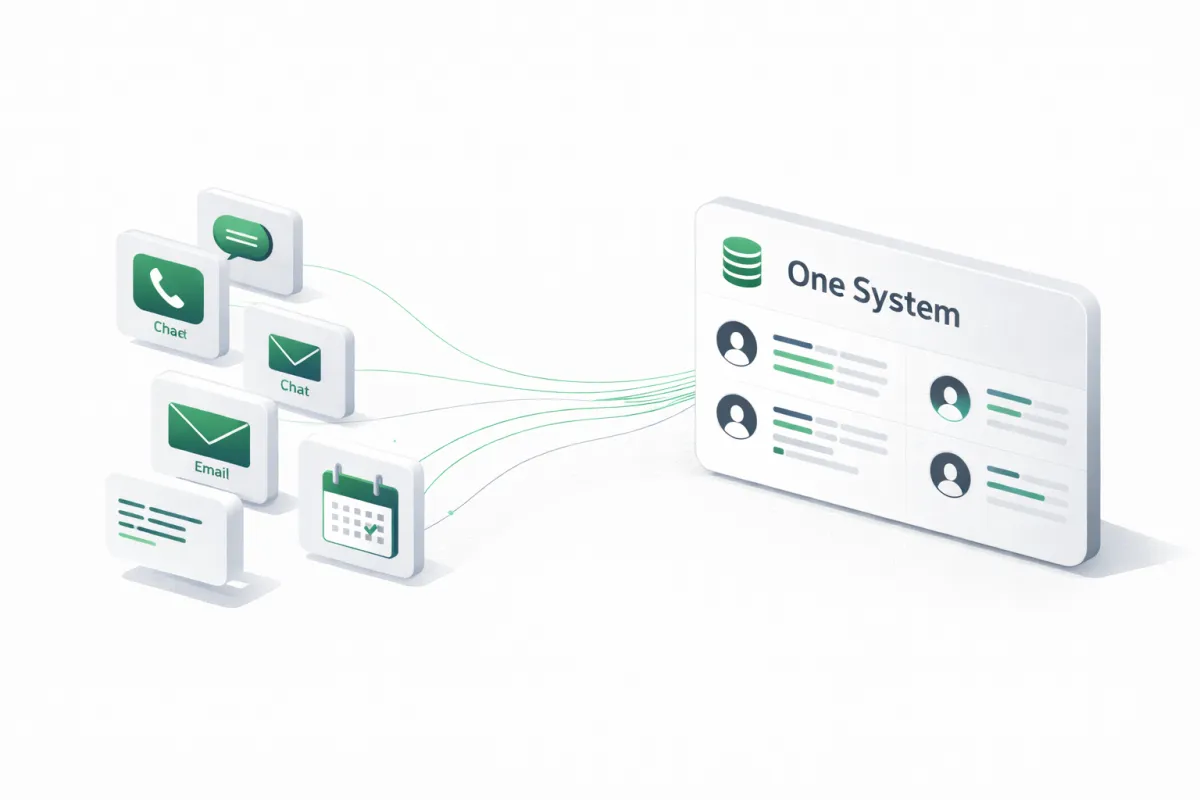
From Disconnected Tools to One System: A Practical CRM + Automation Blueprint
From Disconnected Tools to One System: A Practical CRM + Automation Blueprint
Most businesses do not have a lead problem. They have a coordination problem.
Phones, forms, inboxes, calendars, and spreadsheets each hold a piece of the truth, so the team becomes the integration layer. That is where leads stall, details get missed, and follow-ups quietly die.
This guide shows how to turn scattered tools into one operating system, a CRM that becomes the source of truth, with automation that keeps every lead moving.
What “one system” actually means
“One system” is not “one app.” It is one source of truth plus reliable handoffs.
A real system has:
One place where every lead lives (the CRM)
One lifecycle that every lead follows (your pipeline)
One set of required fields that make the lead actionable (your data standard)
Automation that handles routing, follow-up, and reminders the same way every time
If those four things are true, the tools can vary. If they are not true, adding another tool will not fix it.
The Blueprint
Step 1: Define the lifecycle you want, not the tools you have
Start with outcomes. Write the simplest version of the lead journey:
Lead arrives
Lead is contacted
Lead is qualified
Appointment is booked
Appointment happens
Deal is won or lost
If not ready, lead is nurtured
Now convert that into pipeline stages. A common baseline:
New Lead
Attempting Contact
Contacted
Qualified
Booked
No Show
Closed Won
Closed Lost
Nurture
Do not overbuild stages. If your team cannot explain the difference between two stages in one sentence, merge them.
Step 2: Standardize the minimum data needed to act
Your CRM should not be a junk drawer. Define the minimum set of fields that make a lead usable:
Contact basics
Full name
Phone
Email
Preferred contact method
Context
Service needed or reason for contact
Urgency or timing window
Location or service area
Notes from the conversation
Operations
Source (call, form, chat, referral)
Owner (who is responsible)
Status (pipeline stage)
Next step (task or scheduled event)
This is where most systems fail. If the data is inconsistent, automation becomes unpredictable.
Step 3: Pick the source of truth and stop duplicating it
Decide where the truth lives:
CRM owns the contact record
Calendar owns availability
Phone system owns call recordings
Email/SMS providers deliver messages
Everything else should sync into the CRM, not compete with it.
If a tool cannot reliably push clean data into the CRM, it is either replaced or isolated.
Step 4: Connect every entry point into one intake
Every lead source must land in the same structure:
Inbound calls
Missed calls
Web forms
Website chat
Facebook and Instagram messages
Email inquiries
They can arrive through different channels, but they should create the same result:
Contact created or updated
Source captured
Pipeline stage set
Required fields collected or requested
Next step triggered automatically
This is the difference between “we have a CRM” and “we have a system.”
Step 5: Automate the handoffs that humans are bad at
Humans are good at nuance. Humans are bad at repetitive, time-sensitive handoffs.
Automate these categories first:
A) Immediate response
If a lead comes in, confirm receipt and set expectations.
If it is a missed call, follow up instantly with a short message and a booking link.
B) Routing
Assign ownership based on rules, location, service type, or availability.
Create the next task automatically, so ownership is real, not implied.
C) Booking and reminders
Offer times, confirm booking, send reminders, handle reschedules.
After no-show, trigger a rebooking sequence.
D) Follow-up sequences
Build two tracks:
Hot lead follow-up (short window, more attempts)
Nurture (longer window, lower frequency)
E) CRM hygiene
Apply tags
Update stage
Log conversation summaries
Create tasks when the system detects “stuck” leads
If your system depends on someone remembering to do something, it will fail at scale.
Step 6: Build your “stuck lead” safeguards
Your best automation is not the first message, it is the fallback.
Examples of stuck lead rules:
If “New Lead” has no reply after X hours, trigger a second outreach.
If “Attempting Contact” has no activity after X days, rotate the owner or escalate the sequence.
If “Qualified” has no booked appointment after X days, send a direct scheduling prompt.
These rules stop leakage without requiring more headcount.
Step 7: Make reporting automatic, not aspirational
If reporting relies on manual updates, it becomes fiction.
At minimum, you should be able to see:
Leads by source
Conversion rate by stage
Speed to first response
Appointment booked rate
No-show rate
Close rate by service type or offer
If you cannot measure it, you cannot improve it.
A practical example flow
Here is what “one system” looks like in real life:
Someone calls and you miss it
CRM creates or updates the contact, tags “Missed Call,” sets stage to “New Lead”
An automated text goes out immediately with a simple question and a booking option
If they reply, the system captures the service needed and timing
If they are a fit, the system offers calendar times and books the consult
Reminders go out, the appointment happens, the outcome is logged
If they do not book, a short follow-up sequence runs automatically
No heroics. No sticky notes. No “did anyone call this lead back?”
Common mistakes to avoid
Building automation before the pipeline and data standards are defined
Too many pipeline stages, nobody uses them consistently
Multiple sources of truth for contacts and notes
Automations that “send messages” but do not update CRM state
No safeguards for stuck leads, so the system looks active but still leaks revenue
The bottom line
Disconnected tools create disconnected execution. One system creates predictable outcomes.
If you want help mapping your workflow, cleaning up your CRM, and deploying automation that runs reliably in the real world, we can do that.
Request a callback, and we will confirm what you need and recommend the right build and managed plan.

